
Automate Your Follow-Up. Never Let a Lead Go Cold Again.
Flows lets you build automated sequences of emails, tasks, and calls that run in the background — so the right action happens at the right time, every time, without anyone having to remember.
Start exploring with instant access. No payment required.
The biggest reason deals die is silence
A lead fills out a form, a rep gets busy, and three days pass without contact. Or a prospect goes quiet after a demo and no one follows up. These are not lost deals — they are lost sequences.
Flows solves this by replacing manual follow-up memory with automated, conditional sequences that adapt to how each lead responds. If they open your email, one path. If they don't, another. Your team focuses on conversations — the system handles the cadence.
A Sequence That Thinks for Itself
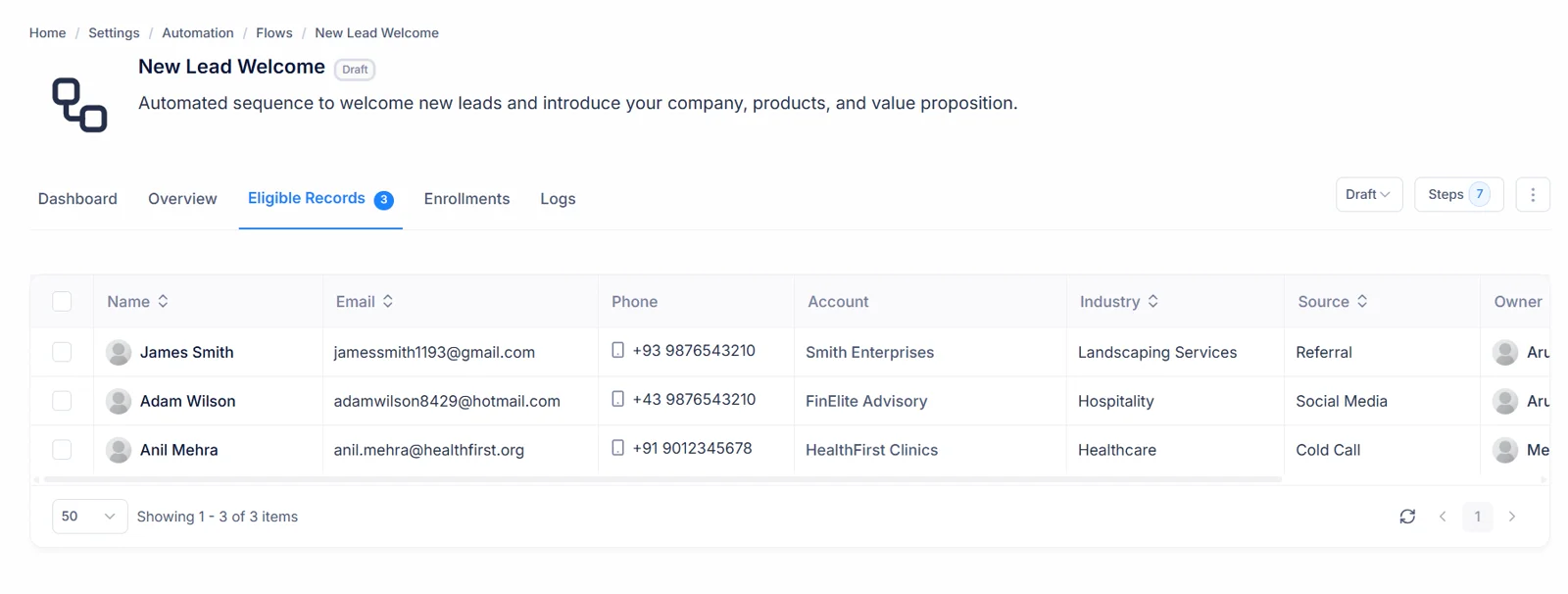
Each step completes, the system checks the outcome, and routes to the next step based on conditions you define.
Every delay, condition, and outcome is configured by you. The system follows the rules you define — every time.
Three Actions. Infinite Combinations.
Every flow is built from three step types. Mix and match them in any order to build the exact sequence your process requires.
Email Step
Sends an automated email using a template you choose. Tracks opens and clicks so the next step fires based on how the recipient responded.
Task Step
Creates an assigned task for a rep to complete — call back, send a proposal, or check in. The rep sees it in their task list and marks it done.
Call Step
Schedules a call with a defined purpose, agenda, and duration. Keeps your reps accountable and ensures every call has a clear objective.
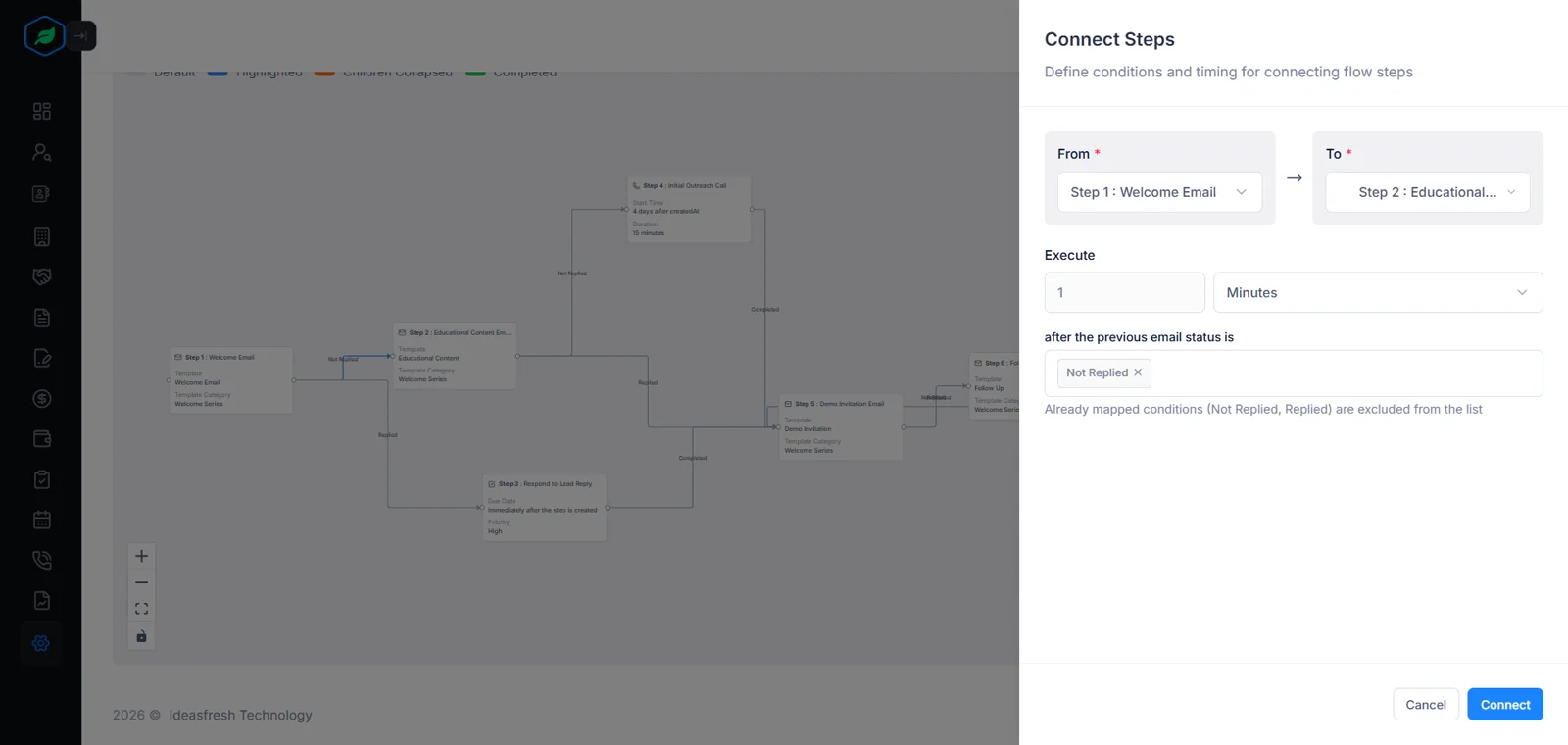
Steps are connected in sequence. Each connection carries a delay and conditions that determine when the next step fires.
Branch based on what actually happened
Every connection between steps is conditional. After an Email step: did they open it, click a link, or not respond? After a Task: was it completed, deferred, or not started? Different outcomes route to different next steps — so one flow handles multiple scenarios without needing a separate flow for each.
- Email outcomes: Opened, Clicked, No Response
- Task outcomes: Completed, Deferred, Not Started
- Call outcomes: Completed, No Answer, Busy
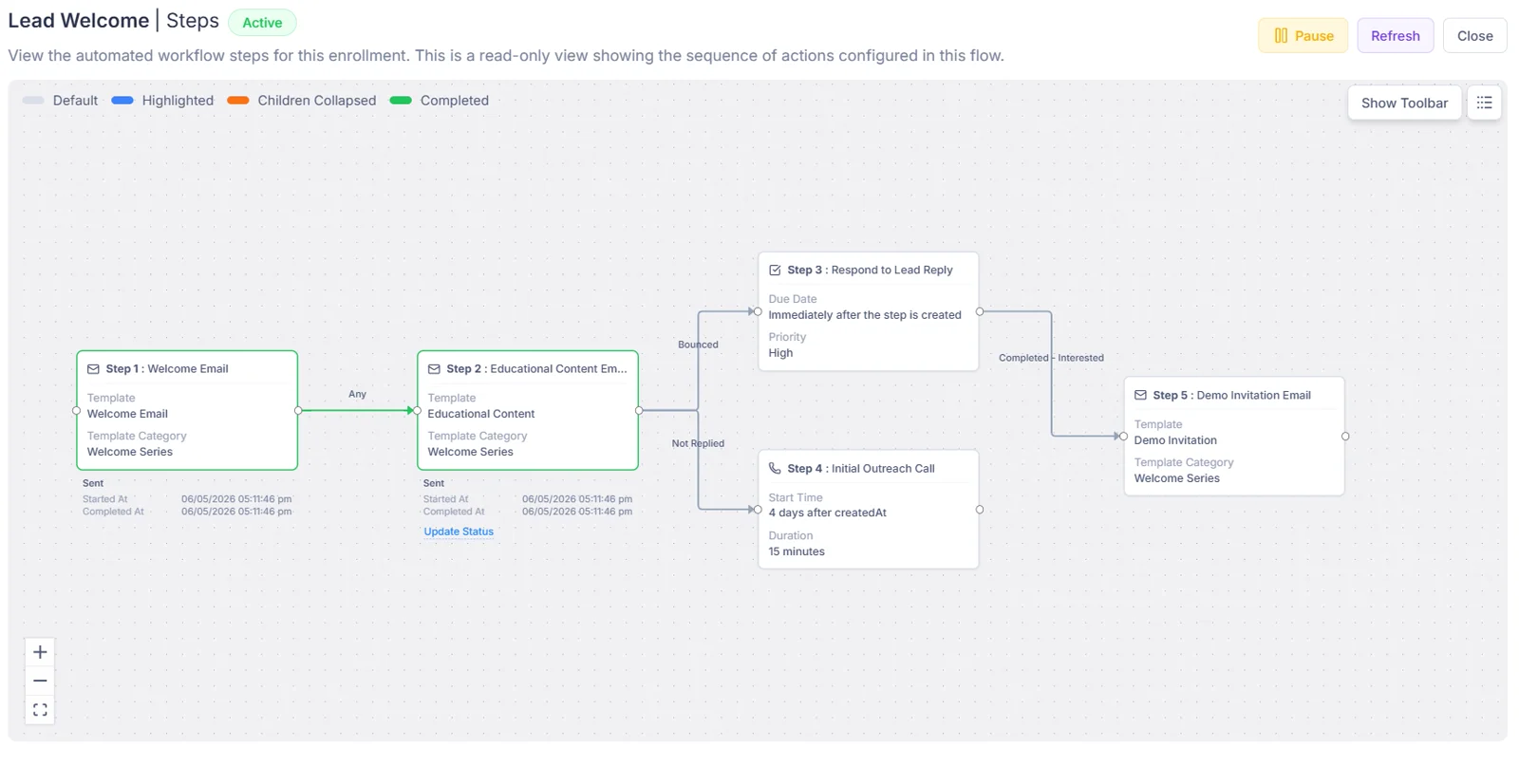
Enroll manually or let the system do it automatically
Select individual records and enroll them directly for targeted outreach. Or define criteria — like all new leads from a web form — and the system enrolls every matching record automatically as they arrive. Only records that meet the flow's criteria can be enrolled, so your sequences always go to the right audience.
- Manual enrollment for one or multiple records at once
- Automatic enrollment based on source, status, or any criteria
- Enrollment criteria acts as a built-in audience filter
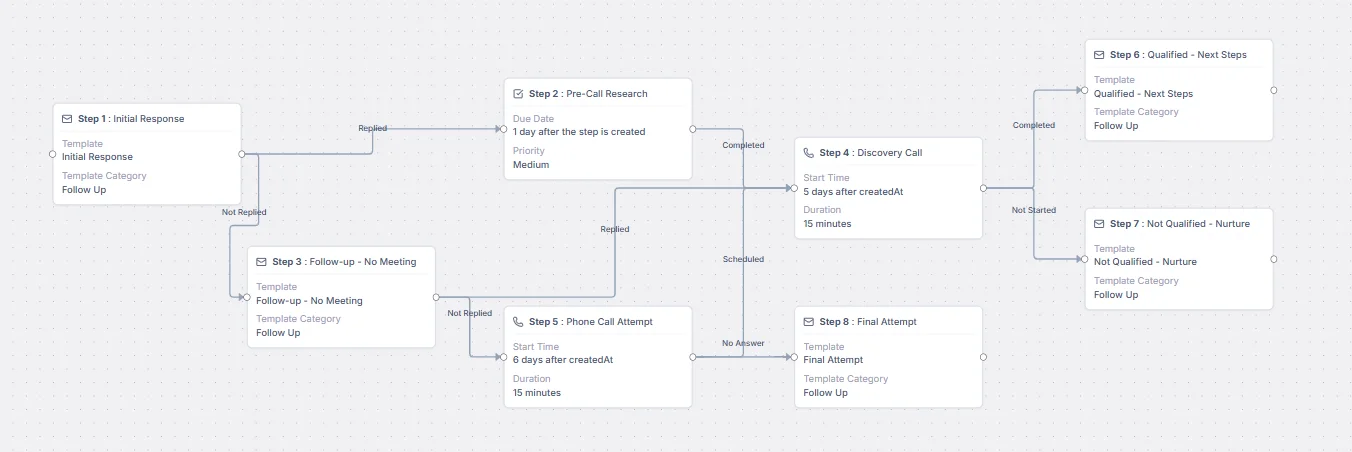
Control exactly when each step executes
Set an initial delay before the first step fires, and a delay between every subsequent step. Choose whether steps execute on weekends, holidays, or within business hours only. Set a timezone for the entire flow so every action lands at the right local time for your recipients.
- Initial delay before the first step fires after enrollment
- Per-connection delay: immediately, minutes, hours, days, or weeks
- Business hours, timezone, and holiday controls per flow
No enrollment gets stuck waiting forever
Every step can have a timeout. If a step doesn't complete within the time you set, the flow either exits the enrollment or continues to the next step — your choice. This means every lead moves forward on schedule, whether or not a rep has acted.
- Set a timeout duration on any step
- Choose: Exit enrollment or Continue on timeout
- Timeout exits are logged with a reason for reporting
See Exactly Where Your Sequences Break Down
Every flow has a built-in dashboard. Spot the step where people are exiting most, adjust the messaging or timing, and improve over time.
Overview
Total enrolled, active, completed, paused, exited, and conversion rate — the health of your flow at a glance.
Step Performance
Completion rate and average time per step. Spot exactly which step is causing the most drop-off.
Engagement Metrics
Email open and click rates; task and call completion rates. See how engaged your enrolled audience actually is.
Trends
Enrollment and completion over time — daily, weekly, or monthly. Understand whether your flow is improving.
Exit Analysis
Why and where enrollments are dropping off. Use this to fix the step that's costing you the most follow-up.
The Benefit in Plain Terms
See exactly what changes when your follow-up runs on autopilot instead of memory.
Without Flows
With Flows
Reps manually track every follow-up
Sequences run automatically in the background
Leads go cold when a rep gets busy
Every enrolled lead gets timely follow-up
Every rep follows a different cadence
Consistent, company-defined sequences for every scenario
No visibility into follow-up gaps
Dashboard shows exactly where sequences break down
One-size-fits-all follow-up
Conditional branching adapts the path to each lead's behavior
Building new sequences takes hours
Clone a System Flow and edit in minutes
A Clear Lifecycle for Every Flow
Every flow moves through a defined lifecycle. You stay in control of what runs and what doesn't.
Being built — not yet accepting enrollments
Running — new enrollments accepted, steps executing
Temporarily stopped — existing enrollments frozen, no new ones
Retired — no longer accepting enrollments
Your First Flow in Five Steps
From a blank canvas to a live automated sequence — in one sitting, no technical setup required.
Go to Automation → Flows and click New Flow
Choose the entity type — Leads, Contacts, or Accounts — and give your flow a name.
Set your enrollment criteria
Define who this flow should run for. Records that match the criteria can be enrolled manually or automatically.
Add and connect your steps
Build your sequence with Email, Task, and Call steps. Connect them in order and set the conditions and branches between them.
Set delays and scheduling preferences
Configure how long the system waits between steps and when actions should execute — business hours, timezone, weekends.
Set the flow to Active and enroll your first records
The sequence starts running immediately. Enroll your first records and watch the steps execute on schedule.
Your first automated sequence is live.
Start automating
your follow-up today.
Build your first flow in minutes. Let the system handle the cadence while your team handles the conversations.
Get Started for FreeAlready using Salesfresh? Sign in to your account
189
Total Enrolled
132
Currently Active
63%
Avg Active Rate